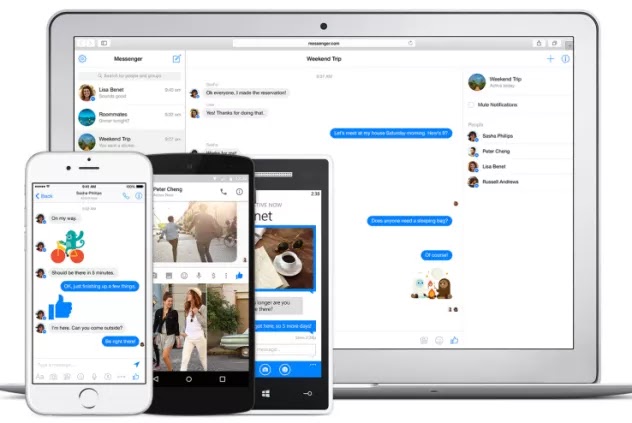
Facebook Messenger for Desktop permission is hereby granted, free of charge, to any person obtaining a copy of this software and associated documentation files (the “Software”), to deal in the Software without restriction, including without limitation the rights to use, copy, modify, merge, publish, distribute, sublicense, and/or sell copies of the Software, and to permit persons to whom the Software is furnished to do so, subject to the following conditions:The above copyright notice and this permission notice shall be included in all copies or substantial portions of the Software.
Features
Sounds (can be disabled in settings)
Desktop notifications (enable them in settings)
Voice and video calls
Badge with the number of notifications in the dock/taskbar (OS X and Windows)
Auto-launch on OS startup (OS X, Windows)
Native notifications (all platforms)
System tray icon on Windows
3 themes: Default, Dark and Mosaic
Auto-hide the left sidebar
Open links in browser or new window
Preferences in the right-click context menu (or menu bar for OS X, tray menu for Windows)

Features
Sounds (can be disabled in settings)
Desktop notifications (enable them in settings)
Voice and video calls
Badge with the number of notifications in the dock/taskbar (OS X and Windows)
Auto-launch on OS startup (OS X, Windows)
Native notifications (all platforms)
System tray icon on Windows
3 themes: Default, Dark and Mosaic
Auto-hide the left sidebar
Open links in browser or new window
Preferences in the right-click context menu (or menu bar for OS X, tray menu for Windows)
Download For Linux 64 bit
Download Size : 36.4 mb
Download From Google Drive
Note: Download From Google Drive Apps Name Might be Changed
Download From Zippyshare
Download For Linux 32 bit
Download Size : 38.2 mb
Download From Google Drive
Note: Download From Google Drive Apps Name Might be Changed
Download From Zippyshare